

Troubleshoot in Minutes
Alerta Home Device Quick Guides
Find setup guides for every Alerta Home device and kit. Follow step-by-step instructions to connect, position, and test your system

Alerta Home Customer Center
Get quick answers, setup tips, or troubleshooting help. Our friendly support team is here for caregivers every step of the way.
FAQ's
Setup & Connection
Here are some common questions about setting up the Alerta Home Kit.
Is the Alerta Home Kit difficult to install?
Not at all. The Alerta Home Kit is completely plug-and-play—— no tools, wiring, or technical expertise required. Simply place your sensors where you need them and plug them in.
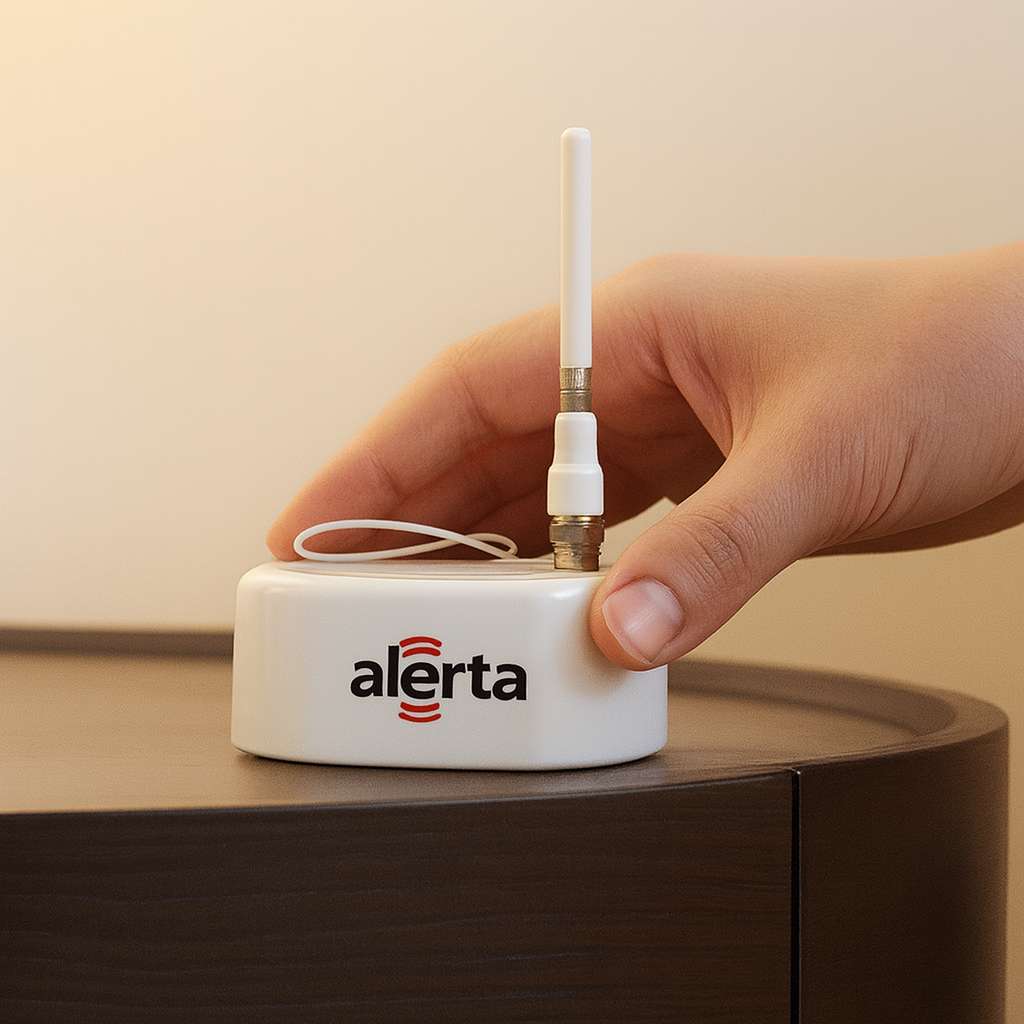
For best performance, position the Wedge centrally in relation to your sensors, within approximately 75 to 100 feet, depending on your living environment. There are no switches to operate; all components connect automatically once powered on. (Refer to the installation instructions for more information.)
Does the Kit require Wi-Fi or Bluetooth to work?
No. The Alerta Wedge includes a built-in cellular connection, so there is no need to sign-in to a Wi-Fi network or pair with Bluetooth devices.
Do I have to re-pair the Wedge every time it’s turned off?
No. The system automatically reconnects to the cellular network whenever power is applied or restored—no re-pairing required
Compatibility
Here are answers to questions about different usages of Alerta Home sensors.
Will it work on adjustable or hospital beds?
Yes. The mattress pad is compatible with adjustable and hospital beds, provided it is positioned away from the hinged sections of the mattress and securely fastened in the selected location to prevent shifting.
Can two people sleep on the same bed with the system installed?
Yes. The mattress pad should be positioned and secured on one side of the bed so it is activated only by the person receiving care. The second sleeper will not trigger alerts. (Refer to the installation instructions for guidance on properly securing the mattress pad.)
Can I use a chair pad on recliners, sofas or wheelchairs?
Yes. The chair pad may be used on recliners, sofas, or wheelchairs by placing it on the seat cushion used by the person receiving care. Ensure that the power cord is routed safely and does not pose a tripping or entanglement hazard.
Operating Alerta Home
Here are answers to questions about using and expanding your Alerta Home system.
How long does the sensor battery last, and can it be replaced?
The sensor contains a rechargeable backup battery designed to provide short-term operation during a power interruption. Battery life depends on system usage and could support operation between two days and two weeks. When the sensor pad or mat is connected to the wall adapter, the battery recharges automatically.
The battery is not user-replaceable. Do not attempt to remove or replace the battery in the sensor device.
Can I add more sensors to my system later?
Yes. The Alerta Home system is expandable. You can add multiple sensors to a single account, covnering different areas of your living space as your needs change.
Can I expect to get false indications from the sensors?
The Alerta Home system is designed to accurately detect changes in pressure on the sensor pads or mats. To minimize nuisance notifications, ensure that sensors are installed correctly—placed flat on even surfaces, pulled taut, and free from obstructions. (Refer to the installation instructions for guidance on properly securing sensors.)
Does the mobile app save activity history?
Yes. The mobile app stores sensor notifications, allowing you to review them by day, week, or month, and by sensor or activity type. This historical view is a helpful complement to your caregiving plans.
Can I receive notifications on my Apple Watch or other wearables?
Yes! When you link the Alerta Family mobile app to your smart watch, you can receive real-time notifications and stay informed no matter where you are.
Can multiple people receive sensor notifications?
Yes. Multiple users– including family caregivers, professional caregivers, or remote family members– can access notifications from the system via the Alerta Family mobile app. For details on user access and sharing options, please contact support@alertahome.com for assistance.